


Download Comodo Dragon – Secure, Fast, Chromium‑Based Browser
Overview
Comodo Dragon is a Chromium‑based web browser that puts security and privacy at the forefront of everyday browsing. Developed by the cybersecurity specialists behind the well‑known Comodo suite, Dragon leverages the familiar speed and extension ecosystem of Google Chrome while stripping away invasive tracking mechanisms. The result is a fast, stable, and highly configurable browser that warns users about weak SSL certificates, scans sites for malicious code, and blocks suspicious downloads before they reach the system.
Whether you are a casual surfer, a remote worker handling confidential documents, or a power user who values control over data, Comodo Dragon offers a protective layer that makes online threats harder to exploit. Its sleek, clutter‑free interface mirrors modern design trends, and the built‑in updater ensures you always run the latest security patches without manual effort. In short, Dragon delivers the performance you expect from a Chrome‑derived engine combined with a suite of privacy‑first tools that keep your browsing sessions safe from prying eyes and hidden malware.
Key Features & Security Enhancements
- Built‑in SSL Certificate Checker – alerts you when a site’s encryption is weak or expired.
- On‑Demand Site Inspector – scans webpages for malicious scripts, drive‑by downloads, and phishing attempts.
- Zero‑Tracking Architecture – disables Chrome’s data‑collection defaults, preventing third‑party profiling.
- Chromium Compatibility – supports the full range of Chrome extensions and plug‑ins.
- Automatic Updates – a dedicated updater keeps the browser patched against emerging threats.
- Customizable Privacy Settings – granular control over cookies, location, webcam, and microphone access.
- Ad‑Blocking Integration – optional built‑in ad blocker reduces clutter and improves page load times.
- Secure Bookmark Sync – encrypted sync across devices without storing data on external servers.
Beyond the headline security tools, Comodo Dragon incorporates several performance‑centric features that prevent the typical trade‑off between safety and speed. Its sandboxed rendering engine isolates each tab, limiting the impact of a compromised site on the rest of your browsing session. The browser also employs a lightweight memory manager that reduces lag and prevents the frequent freezes reported in older Chrome builds.
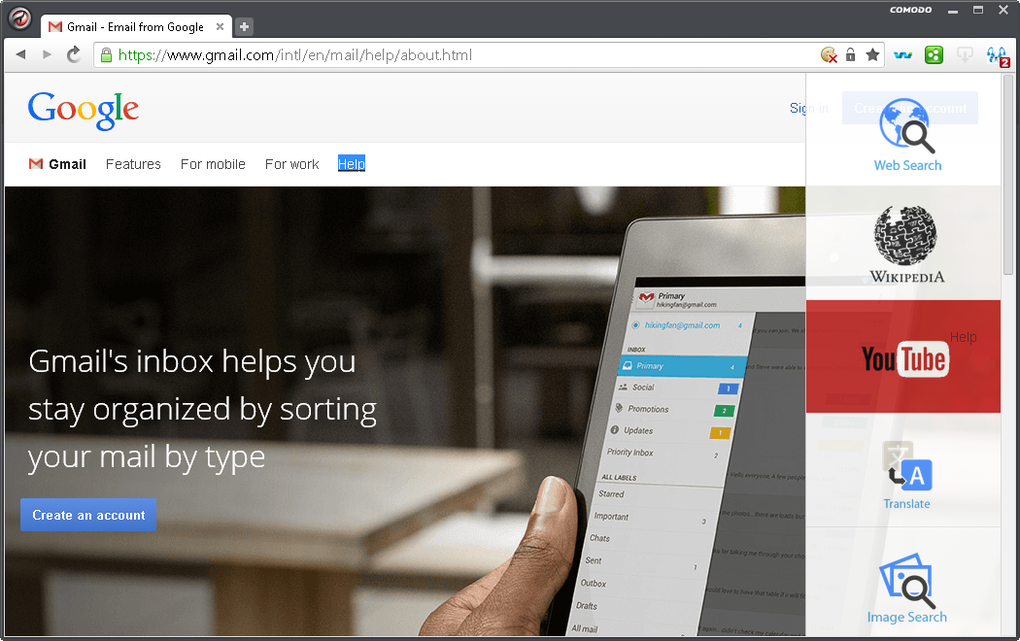
For users who rely heavily on productivity extensions—such as password managers, ad blockers, or developer tools—Dragon offers seamless compatibility, ensuring that security does not come at the cost of functionality. Additionally, the UI is intentionally minimal: essential navigation buttons, a combined address‑search bar, and a configurable toolbar keep the workspace clean, which many users find less distracting than Chrome’s sometimes crowded interface. Together, these features create a balanced environment where privacy‑conscious users can enjoy a fast, reliable web experience without sacrificing the convenience of modern web applications.
Installation, Usage & System Compatibility
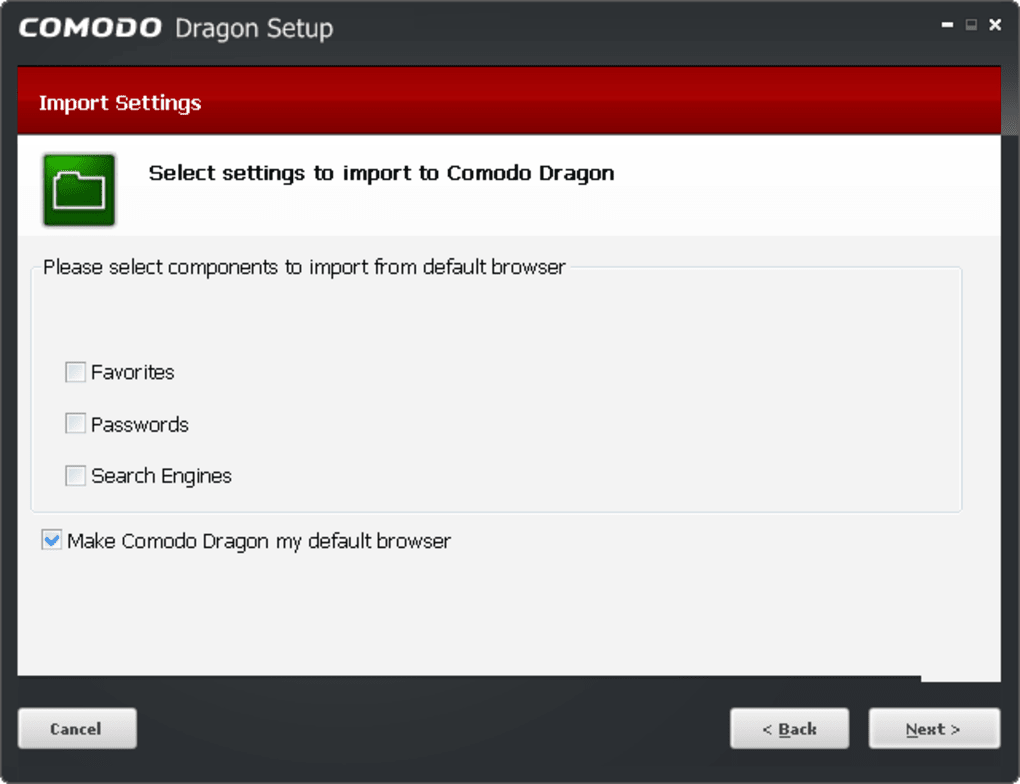
Getting started with Comodo Dragon is straightforward. Visit the official Comodo website, locate the download page, and select the installer that matches your operating system. The installer is signed and verified, offering an extra layer of trust during the download process. After launching the .exe (Windows) or .dmg (macOS) file, follow the on‑screen prompts: accept the license agreement, choose your installation folder, and decide whether to set Dragon as your default browser. The setup process typically completes within two minutes, after which the browser will launch automatically for the first‑time configuration.
Operating System Compatibility (itemprop="operatingSystem"): Comodo Dragon currently supports Windows 10/11 (both 64‑bit) and macOS 10.15 (Catalina) or later. Mobile versions for Android and iOS are under development, but the desktop client remains the most robust offering. System requirements are modest: at least 2 GB RAM, 500 MB of free disk space, and a modern processor (Intel i3 or equivalent). Because Dragon inherits Chromium’s engine, it benefits from hardware acceleration on compatible GPUs, which further smooths video playback and complex web graphics.
Once installed, the first launch presents a quick privacy‑wizard that guides you through essential settings: enabling the SSL checker, configuring the site inspector, and toggling tracking protection. Users can import bookmarks from other browsers, preserving their workflow continuity. The built‑in updater runs in the background and checks for new releases daily; a small notification badge appears on the toolbar when an update is ready, and applying it requires only a single click. For power users, the “Advanced Settings” panel offers command‑line switches and policy controls, allowing integration with enterprise security solutions or custom scripts. Overall, the installation experience mirrors that of mainstream browsers, but the added privacy steps ensure you start with a secure baseline from day one.
Pros, Cons, Frequently Asked Questions & Conclusion
Pros
- Strong built‑in security tools (SSL checker, site inspector, sandboxed tabs).
- Zero‑tracking design protects user privacy without third‑party data collection.
- Full compatibility with Chrome extensions and web standards.
- Fast performance with minimal crashes or memory leaks.
- Automatic updates keep the browser protected against new threats.
Cons
- Limited mobile support; currently only available for Windows and macOS.
- Some Chrome‑specific features (e.g., built‑in PDF viewer) are slightly slower.
- Initial privacy‑wizard may be overwhelming for non‑technical users.
- Occasional compatibility quirks with legacy web apps that expect Google’s tracking cookies.
FAQ (itemscope itemtype="https://schema.org/FAQPage")
Is Comodo Dragon completely free?
Yes, the desktop version of Comodo Dragon is offered at no cost. All core security features are included without a subscription, though optional premium services (like advanced VPN integration) may be offered separately.
Can I import my Chrome extensions?
Absolutely. Because Dragon is Chromium‑based, you can install any Chrome Web Store extension directly from the store, and you can also import existing Chrome profiles to retain your extensions and settings.
How does the SSL Certificate Checker work?
When you navigate to a site, Dragon examines the SSL/TLS certificate chain. If the certificate is expired, self‑signed, or uses weak encryption, a warning icon appears next to the address bar, and a detailed alert explains the risk.
Is my browsing data stored on Comodo’s servers?
No. Comodo Dragon stores bookmarks, history, and settings locally on your device. Encrypted sync is optional and, when enabled, uses end‑to‑end encryption so that even Comodo cannot read the data.
How often does Comodo release updates?
Updates are released roughly every four weeks, with critical security patches pushed as soon as vulnerabilities are discovered. The built‑in updater handles the process automatically.
Conclusion & Call to Action
If you’re searching for a browser that blends Chrome’s speed with enterprise‑grade security, Comodo Dragon is a compelling choice. Its zero‑tracking architecture, real‑time site inspection, and SSL awareness provide peace of mind without sacrificing the extensions and performance you rely on daily. While mobile support is still catching up, Windows and macOS users can install the browser in minutes and immediately benefit from its protective features. For anyone who values privacy, data integrity, and a smooth browsing experience, downloading Comodo Dragon today is a smart move. Click the official download button below, install the browser, and start browsing the web under the vigilant protection of the Dragon.
Comodo Dragon delivers a solid mix of speed, stability, and advanced security. The SSL checker and site inspector are standout features that give me confidence when visiting new sites. The only drawback is the lack of a native mobile app, but on desktop it feels like a polished, privacy‑first Chrome alternative.







